
ROLE
Product Designer · 0→1
AREA
Productivity
TOOLS
React · Supabase · Cursor · Figma
STATUS
Live · Mar 2026
OVERVIEW
A second brain, made visual
Tend is a personal productivity system that connects tasks, goals, habits, calendar and meal planning in one place.


PROBLEM
Multiple Disconnected Tools
My existing system was functional but fragmented. Tasks lived in one place, meals in another, and longer-term goals rarely connected back to what I actually did each day. I had the tools, but they didn't work together on one interconnected plan.
I needed a tool where I could capture ideas on the go, goals could shape the tasks I worked on, habits could influence my daily routine, and a meal plan could inform the grocery shopping.
Calendar
Meal Planner
Journal
Habit
Tracker
Journal - Tasks
Journal - Tasks
Habit Tracker
Calendar
Meal Planner
Journal -
Capture
OBJECTIVES
Design Goals


Make it easy to get ideas, tasks and information out of my head before deciding what to do with them.

Link daily tasks to goals, routines, meals and other areas of life instead of managing them separately.

Make the system useful whether planning at a desk, checking a task on the go, or capturing something quickly from a phone.
PROCESS
From personal workflow to working product
I started by mapping the systems I was already using and looking for where information was being duplicated or lost. The goal wasn to understand the relationships between the systems and how to make them more efficient and interconnected.

understanding the the relationships between the systems
The System
The planner components bring together the areas I use to plan and manage my daily life, while also keeping each one focused on a specific job.
Tasks
Turn priorities into concrete actions and organise what needs to happen today.

Habits
Track recurring behaviours and routines alongside daily work to understand which habits stick.

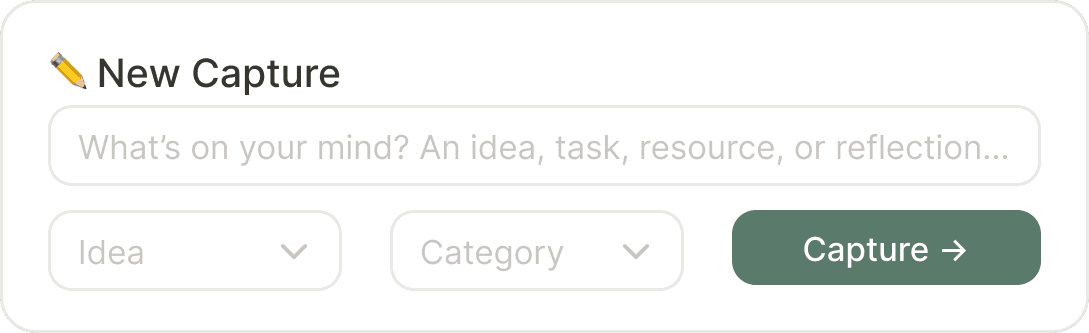
Notes & Capture
Store ideas and information without forcing immediate organisation.
Meal Plan
Planning meals informs grocery shopping, and recipies are in the same system, easy to access.

Outcome
Design Decisions
Today's Focus
Today's Focus highlights one priority task, cutting through the noise of a full list.
Capture Inbox
A quick-capture inbox for stray ideas, tasks, and notes. Sort later to get it out of your brain and into the system, with minimal interruption to the moment.
End-of-day check-in
Compares estimated vs. actual time and prompts a short reflection on how the day went. Incentivises learning and adjustment

learnings
